What works the way you expect
LightCraft follows Lightroom’s layout and shortcuts, so most habits carry over:
| In Lightroom | In LightCraft | Key |
|---|---|---|
| Library grid | Photo Grid and Square Grid | G |
| Loupe view | Detail | D |
| Develop / Edit panel | Edit: Light, Color, Effects, Detail, Optics, Geometry | E |
| Crop & Straighten | Crop, with Auto straighten and Upright | C |
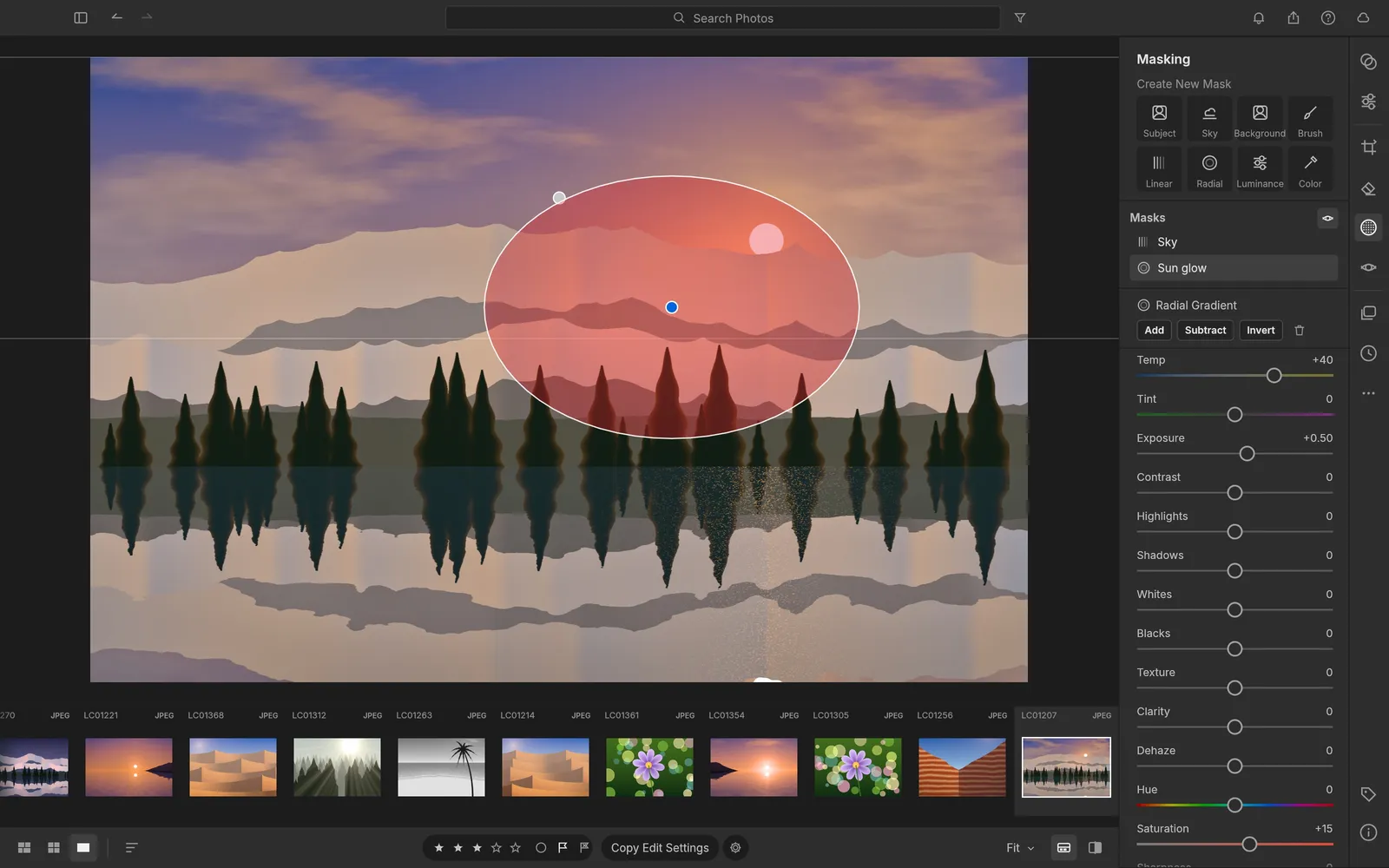
| Masking | Masking: brush, gradients, ranges, sky, subject, background | M |
| Presets | Presets panel, Amount 0–200% | Shift+P |
| Before / after | Before and After, side by side or split | Y, Shift+Y |
| Show original | Show Original | \ |
| Auto Settings | Auto Settings | Shift+A |
| Export | File › Export… | ⌘⇧E / Ctrl+Shift+E |
Under the panels: the full set of global sliders, a tone curve with parametric regions and RGB point curves, an 8-band Color Mixer, colour grading wheels, B&W mix, sharpening and noise reduction, spot removal and red eye, and virtual copies, stacks and smart albums in the library. Ratings use 0–5, flags P, X and U, and colour labels 6–9, as in Lightroom.
Where it is still behind
LightCraft’s developers publish their own scorecard. As of this release they put it at about 81% of Lightroom’s features by count, and around 61% as a day-to-day replacement. The biggest gaps they list:
- Camera colour. LightCraft’s developers count about 1,500 Adobe camera profiles; LightCraft uses its own estimates and four bundled profiles, so colours can differ from what you are used to.
- Lens profiles. Only corrections stored in the file (DNG, Panasonic and Leica) are applied; there is no lens database yet.
- AI. Select Sky and Select Subject use classic image analysis, not trained models. AI Denoise is in progress and needs model files you install yourself; there is no Super Resolution yet.
- Some RAW variants. Compressed Olympus ORF, compressed Samsung SRW, Nikon HE NEF and some CR3 files open as the camera’s embedded preview only.
- Modules. There is no Print, Book or Map module, no video editing and no HDR display.
If you shoot JPEG or DNG, or a recent Sony, Panasonic, Fujifilm, Nikon or older Canon body, it is already a capable editor. Check your camera on the RAW formats list.
Browser version or desktop app?
| Browser (this site) | Desktop app | |
|---|---|---|
| Install | None; about 20 MB on first visit | Windows, macOS, Linux, FreeBSD |
| Where photos live | Copies in your browser’s storage | A library folder; originals referenced in place or copied |
| Rendering | Processor, in background workers | Graphics card (Metal, Vulkan, DX12), processor as fallback |
| Lightroom catalog import | Not yet | Yes |
| XMP sidecars, preset files | Not yet | Yes |
| AI agents (MCP) | No | Yes, see LightCraft MCP |
| AI on your own key | Yes, the AI panel | No panel; use MCP with an agent |
The browser build is the quickest way to try LightCraft or edit a handful of photos on any computer. For your whole archive, download the desktop app.
FAQ
Is LightCraft really free?
Yes. It is open source under the MIT or Apache-2.0 licence, with no subscription, account or watermark. The browser version on this site is free too; only the optional AI panel costs money, billed by the AI provider whose key you use.
Can I bring my Lightroom catalog over?
In the desktop app, yes: File › Import Lightroom Catalog… reads a Lightroom Classic .lrcat and brings ratings, flags, labels, keywords, collections, virtual copies and mapped develop settings. The browser version can’t read a catalog file yet.
Will my Lightroom edits look the same?
Close, not identical. Supported sliders, curves and masks carry over and stay editable, but Adobe’s camera profiles, AI masks and some retouch settings are not reproduced, so expect to fine-tune colour.
Does LightCraft sync between devices like Lightroom does?
No. LightCraft is local-first: no account, no cloud. In the browser, the library lives in that browser; File › Back Up Library… and Restore move it to another browser or computer.
Adobe and Lightroom are trademarks of Adobe Inc. LightCraft and this site are not affiliated with Adobe.